Venlo
-
Charging bays12
-
CCS6 x 400 kW
- Secure parking
- Restaurant
- Vending machine
- Toilet
- Shower
- Seamless charging

Explore this
charging hub
Transforming the future of sustainable mobility together.

How to charge?
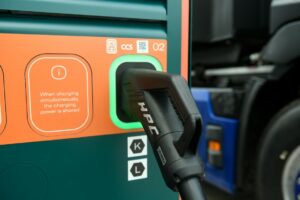
Milence charging hubs are designed to accommodate all truck brands, ensuring accessibility for every driver. Enjoy a seamless charging experience with our versatile payment options.
Milence is driving sustainability, ensuring every journey taken on our network leaves a smaller carbon footprint.
Frequently Asked Questions
Get quick answers to common questions about our charging hubs, including access, payment options, and on-site services.
- How do I enter the site? The charging hub is situated in Truckstop Venlo. Press the intercom and inform the parking operator you are a Milence customer. Collect the parking ticket at the gate (for access control only, no payment required) and proceed to the charging bays. Once your truck is charging, bring your ticket to the restaurant on site to be validated. This ensures you don’t have to pay for parking while charging. For overnight stays, parking must be paid.
- How do I exit the site? Follow the exit signs and drive towards the gate. Press the intercom button and a support agent will facilitate your departure. If you stayed overnight, you should first pay at the ticket machine on the left-hand side of the restaurant entrance.
Charging bays 1 – 4 are equipped with barriers and traffic lights because they can be reserved by customers. This helps ensure that customers with a booking can access their reserved bay when they arrive, while still allowing efficient use of the charging hub. The traffic lights show the bay availability as:
- Green: The bay is available for charging and the barrier will remain open.
- Red: The bay is reserved and the barrier will be lowered. Please use another available bay.
Yes. If the traffic light is green, the bay is available for charging and the barrier will remain open. If the light is red, the bay is reserved for a customer with a booking and you should use another available bay.
Please avoid using an adjacent connector from a booked bay as this will prevent a customer with a booking from charging. If needed, please use another available charging bay.
If you cannot access a bay which is protected by a barrier for an extended time, please use another available bay on site or contact our support team for assistance.
No, at this moment there are no penalties for using a bay that is unused but with a red traffic light marked as reserved. However, repeated unauthorized access attempts may be flagged for review. We kindly ask you to move your vehicle in case the booked customer does arrive.
- Via partner eMSP charge card or app, directly at the charger. Check out our up-to-date eMSP partner list at milence.com/payment-methods/.
- Via the Milence Charge Card.
- Via contactless bank card, at the payment terminal installed on the charging bay arches.
- With an eMSP/RFID card: Tap your card, select the connector, and start charging. Tap again to stop. Unplug the cable as the last step.
- With a bank card at a payment terminal: Connect the cable, select your charger on the terminal, tap your card and start charging. Track progress on the charger screen or via a QR code on the terminal. Stop charging via the payment terminal, then unplug the cable.
- Safe parking: Secure, fenced and gated truck parking. Overnight parking and charging available.
- On-site amenities: Free toilets and showers (managed by Truckstop Venlo). A restaurant offering a variety of food & beverage options. Vending machines with contactless payment options. Laundry facilities for added convenience during longer stays. *
- Wi-Fi: Free site-wide internet.
- Support: Assistance available via intercom or the support number (+31850545544).
*Extra costs may apply for certain services. Please check the latest prices on the Truckstop Venlo website for more information.
First, double-check the charging steps above. If you need help, contact our support team by phone at +31850545544.